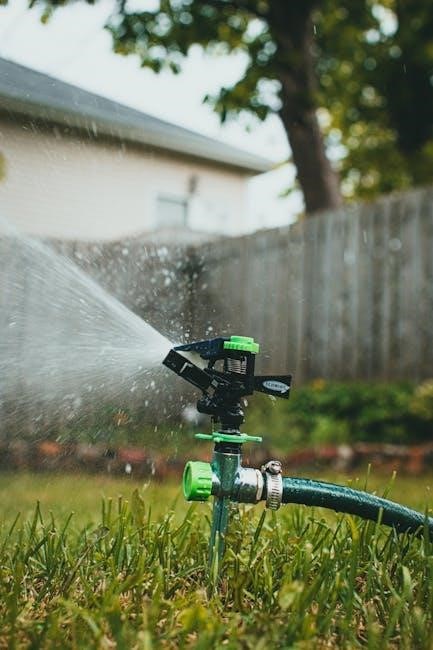
Orbit’s B-Hyve system offers a user-friendly approach to automating and optimizing outdoor watering, providing a thorough explanation for maximizing product benefits.
What is B-Hyve?
B-Hyve, developed by Orbit Irrigation Products, represents a significant step forward in smart home gardening technology. Initially appearing as a relatively traditional sprinkler controller with a central dial, buttons, and LCD display, it quickly evolved into a sophisticated system.
Launched at CES 2018, B-Hyve encompasses both in-ground sprinkler controllers and smart hose faucet timers, aiming to automate, manage, and optimize entire outdoor watering routines. The system allows consumers to move beyond basic watering schedules, offering features like app control and weather-based adjustments. It’s designed for both those new to smart watering and experienced users seeking a robust, reliable solution for lawn and garden care.
Benefits of Using a Smart Watering System
Employing a smart watering system like B-Hyve delivers numerous advantages for homeowners. Primarily, it prevents overwatering, conserving water and reducing utility bills – a crucial benefit for environmentally conscious individuals. The ability to remotely control your sprinklers is invaluable when traveling, ensuring a lush, green lawn even during absences.

Furthermore, B-Hyve’s weather intelligence features adapt watering schedules based on real-time conditions, optimizing water usage and promoting healthier plant growth. These systems offer convenience and peace of mind, moving beyond traditional timers to provide a truly automated and efficient watering experience. It’s a smart investment for any homeowner.

Installation and Setup
Initial B-Hyve setup resembles a standard sprinkler controller, featuring a central dial, buttons, and LCD display, but quickly unlocks smart features.
Wiring the B-Hyve Controller
Before beginning, ensure power is completely disconnected to your existing sprinkler system at the breaker. Carefully remove your old controller, noting the wire connections – labeling them is highly recommended! The B-Hyve controller utilizes a terminal block system for wiring. Connect each zone wire to its corresponding terminal, and the common wire to the designated common terminal.
Pay close attention to matching the wire colors or labels from your previous setup. A secure connection is crucial; ensure wires are firmly inserted into the terminals. The B-Hyve controller is designed for both indoor and outdoor use, offering flexibility in placement. Double-check all connections before restoring power to avoid any potential issues or damage to the system.
Connecting to Wi-Fi
To unlock the B-Hyve’s smart features, connecting to your home Wi-Fi network is essential. Download the B-Hyve app on your smartphone or tablet and create an account. Once logged in, follow the in-app instructions to initiate the Wi-Fi connection process. The app will guide you through selecting your network and entering your password.
Ensure your smartphone is connected to the 2.4 GHz band of your Wi-Fi, as the B-Hyve controller typically doesn’t support 5 GHz. A strong Wi-Fi signal is crucial for reliable operation. The controller’s display will indicate connection status. Successful connection enables remote control and access to weather intelligence features.
Zone Configuration and Naming
After connecting to Wi-Fi, the B-Hyve app will prompt you to configure your watering zones. Each zone represents a specific area of your yard with its own watering needs. The app will guide you through a process of identifying and testing each zone by activating the corresponding valve.
Crucially, assign descriptive names to each zone – like “Front Lawn,” “Back Garden,” or “Flower Beds” – for easy identification within the app. Accurate zone configuration is vital for creating customized watering schedules. This ensures efficient water usage and a healthy, vibrant landscape tailored to your specific garden layout.
Understanding the B-Hyve Interface
The B-Hyve controller features a central dial, large buttons, and an LCD display, offering both app-based and direct, manual control options for users.
The B-Hyve App Overview
The B-Hyve mobile application serves as the central hub for managing your entire smart watering system. Upon initial setup and connection to Wi-Fi, the app guides users through a streamlined process of zone configuration and naming, ensuring personalized control.
Within the app, you’ll find a clear and intuitive interface displaying current watering schedules, weather data impacting irrigation, and historical water usage statistics. Users can remotely start, stop, or adjust watering cycles for individual zones or the entire system. The app also provides access to advanced features like Cycle and Soak, and Weather Intelligence, allowing for optimized water conservation.
Notifications alert you to potential issues, such as connectivity problems or unusual water consumption. Regular updates to the app introduce new features and improvements, enhancing the overall user experience and ensuring compatibility with evolving smart home technologies.
Controller Display and Buttons
The Orbit B-Hyve controller features a large central dial and four prominent buttons, offering a surprisingly traditional user experience alongside its smart capabilities. The clunky LCD display provides live status updates, showing current zone watering status, scheduled start times, and connectivity information.
The dial allows for manual zone selection and activation, providing a quick override option when needed. The buttons facilitate navigation through menus, schedule adjustments, and system settings. While not as sleek as some competitors, this design prioritizes ease of use for those accustomed to conventional sprinkler controllers.
The built-in LED screen ensures visibility even in bright sunlight, and the robust construction is suitable for both indoor and outdoor installations.
Programming Your Watering Schedule
B-Hyve allows users to create basic schedules, utilize advanced options like cycle and soak, and leverage weather intelligence for optimized, efficient lawn hydration.
Creating Basic Watering Schedules
Establishing a fundamental watering schedule with the B-Hyve system is remarkably straightforward. Initially, access the scheduling section within the B-Hyve app or directly on the controller’s interface. You’ll then define the start time for your watering cycle, selecting the desired days of the week for irrigation. Crucially, specify the duration for each zone – this dictates how long each section of your lawn receives water.
The system allows for multiple start times, enabling you to split up watering sessions if needed, perhaps for better absorption or to avoid runoff. Remember to consider your plant types and local climate when setting durations; grass typically requires more water than drought-resistant shrubs. Regularly review and adjust these basic settings based on observed lawn health and seasonal changes to maintain optimal hydration.
Advanced Scheduling Options (Cycle and Soak)

Beyond basic scheduling, B-Hyve offers ‘Cycle and Soak’ functionality, ideal for addressing runoff on sloped lawns or with compacted soil. This feature divides a single watering session into multiple shorter cycles, interspersed with soaking periods. This allows water to penetrate the soil more effectively, minimizing waste and promoting healthier root growth.
To implement Cycle and Soak, configure the number of cycles and the soak duration within the zone settings. Experiment with different combinations to find what works best for your specific landscape. This is particularly beneficial for clay-heavy soils that struggle with water absorption. Utilizing this advanced option ensures efficient water usage and a thriving, well-hydrated yard, maximizing the benefits of your smart watering system.
Using Weather Intelligence Features
B-Hyve leverages real-time weather data to intelligently adjust your watering schedule, preventing overwatering during rainy periods and compensating for increased evaporation on hot, sunny days. This feature automatically skips scheduled watering when sufficient rainfall is detected, conserving water and saving you money.
To enable Weather Intelligence, ensure your controller is connected to Wi-Fi and location services are activated within the B-Hyve app. The system utilizes local weather forecasts to make informed decisions about your watering needs. You can also customize sensitivity settings to fine-tune how aggressively the system responds to changing weather conditions, ensuring optimal hydration for your lawn and garden.

Troubleshooting Common Issues
B-Hyve controllers, while robust, can occasionally experience connectivity problems, zone failures, or app errors requiring simple troubleshooting steps for resolution.
Connectivity Problems
If your B-Hyve controller loses its Wi-Fi connection, several steps can restore functionality. First, ensure your home’s Wi-Fi network is operational and that the controller is within range of the router. A simple reboot of both the router and the B-Hyve controller often resolves temporary glitches.
Verify the Wi-Fi password entered during setup is correct within the B-Hyve app. Interference from other devices can also disrupt the signal; try relocating the controller or router. If problems persist, consider checking for firmware updates within the app, as these often include connectivity improvements. Finally, consult Orbit’s support resources for more advanced troubleshooting guidance;
Zone Not Watering
When a specific zone fails to water, begin by verifying its schedule within the B-Hyve app – ensure it’s activated and the duration is set appropriately. Inspect the valve associated with that zone for any physical obstructions or damage. A manual valve test can confirm if the valve itself is functioning correctly.
Check for broken sprinkler heads or leaks in the zone’s piping, as these can prevent water pressure from reaching all sprinklers. Confirm the zone is correctly configured within the app, and that no conflicting schedules are overriding its operation. If issues continue, consult the Orbit support documentation for detailed troubleshooting steps specific to zone functionality.
App Functionality Errors
If the B-Hyve app experiences errors, first ensure you’re using the latest version available from your app store. Force-closing and restarting the app can often resolve temporary glitches. Verify your internet connection is stable, as the app relies on a network link to communicate with the controller.
Clearing the app’s cache may also help. If problems persist, try logging out and logging back into your account. For more complex issues, consult the Orbit support website for FAQs and troubleshooting guides. Contacting Orbit’s customer support directly provides access to specialized assistance for resolving app-related problems.

B-Hyve Smart Hose Faucet Timer
Orbit announced the B-hyve Smart Hose Faucet Timer at CES 2018, enabling consumers to automate, manage, and optimize their entire outdoor watering.
Features and Benefits
The B-hyve Smart Hose Faucet Timer brings convenient automation to your garden watering. It allows for remote control and scheduling via a smartphone app, eliminating the need for manual adjustments. This timer optimizes water usage, potentially saving you money on your water bill and conserving a valuable resource;
Beyond basic scheduling, the B-hyve timer offers features like weather-based adjustments, automatically skipping watering during rainfall. Its rugged design is suitable for both indoor and outdoor use, ensuring durability. The timer integrates seamlessly into existing hose setups, making installation straightforward. Users appreciate the ability to manage watering from anywhere, providing peace of mind while traveling or simply simplifying yard maintenance. It’s a smart solution for a greener, more efficient garden.
Setup and Usage
Initially, the B-Hyve Smart Hose Faucet Timer might appear similar to traditional controllers, featuring a central dial, buttons, and an LCD display. Installation involves attaching the timer to your hose and faucet, ensuring a secure connection. Connecting to Wi-Fi is a crucial step, enabling remote control and access to smart features through the B-Hyve app.
Once connected, the app guides you through setting up watering schedules, customizing durations, and defining specific zones. The interface, while not as intuitive as some competitors, allows for both app-based and manual control. Users can monitor watering status and make adjustments on the device itself. Regular firmware updates ensure optimal performance and access to new features, enhancing the overall user experience.

Integration with Smart Home Ecosystems
B-Hyve seamlessly integrates with popular voice assistants and IFTTT, enabling hands-free control and customized automation routines for a connected landscape.
Compatibility with Voice Assistants
B-Hyve demonstrates excellent compatibility with leading voice assistants, streamlining lawn care through simple voice commands. Users can effortlessly start, stop, or adjust watering schedules using Google Assistant or Amazon Alexa. This hands-free control adds convenience, especially when you’re occupied indoors or away from the controller.
Setting up voice control involves linking your B-Hyve account within the respective voice assistant app. Once connected, you can utilize commands like, “Alexa, start watering zone one,” or “Hey Google, pause the sprinkler system.” This integration provides a modern, accessible way to manage your irrigation, enhancing the overall smart home experience and promoting efficient water usage.
IFTTT Integration
B-Hyve expands its smart capabilities through integration with IFTTT (If This Then That), a powerful web-based service enabling connections between various apps and devices. This allows users to create custom “applets” automating watering based on external triggers, like weather forecasts or sunrise/sunset times.
For example, an applet could automatically pause watering if rain is predicted, conserving water and preventing over-saturation. You could also set up schedules tied to specific events, such as turning on the sprinklers when you leave for work. IFTTT unlocks a world of personalized automation, making B-Hyve a truly adaptable component of a connected smart home ecosystem, offering unparalleled control and efficiency.